


%203.svg)
Key Takeaways
- The AI automations that work take over the admin around a job, not the job itself. Our account executives still run every sales call; an agent drafts the contract, updates the CRM, and sends the follow-up.
- Every use case has a simple version you can build yourself in an afternoon and an advanced version that needs a developer. Build the simple one first to find out whether the second is worth paying for.
- Choosing what to build and keeping it running are harder than building it. The companies getting real value have one person whose full-time job is both.
The AI automations that pay off are the ones that take the admin work off a role and leave the human part alone. That’s what we’re trying to do here at Hire With Near and what we’ve seen across the US companies we help hire in Latin America.
When founders of these businesses reach out to me, one of the questions I hear more frequently is what other companies are running today, with real customers and real payroll.
It’s a fair question. The gap between the demos and the daily work is wide, and nobody wants to spend three months building a toy.
So my business partner Michael Girdley and I ran a webinar on it. Almost 700 people signed up. Below are the examples that came out of it, and some insights on what we learned about who should build this and who keeps it working.
If you’re weighing whether to hire an AI developer in Latin America, start with the use cases.
One note first. Each example has a simple version and an advanced version. The simple version you build yourself with Claude or ChatGPT. The advanced version needs a developer and a couple of weeks.
My recommendation: start simple. That’s how you find out if the second one is worth it.
Sales: Hand Off Everything That Happens After the Call
I’ve run our sales team for five years, so I know exactly where the biggest part of working hours go. Very little of it is actually selling.
Start with a toolkit of skills
We began here. An account executive finishes a call, opens Claude, and asks it to draft the contract. Another skill writes the proposal. A third one writes the follow-up email.
The follow-up one took us several rounds of tweaking to get the format right. Claude drafts a first pass from the call transcript, working mainly as a safety net so nothing from the call gets forgotten, but the account executive still writes the parts that need their own voice, checks every line, and decides what goes out under their name. That was worth the effort. But the account executive still had to decide what to run before running it.
Then let one agent decide
This is the version that made the difference, and it took us about four months to get right.
Everyone records sales calls now, so there’s always a transcript. The moment the account executive hangs up, an orchestrator agent reads it and comes back with a plan: if it looks like a qualified deal, it drafts the contract, moves it to this CRM stage, fills in these fields, generates the proposal, and schedules the email sequence.
The AE reads that and approves it, or overrides the parts that are wrong because of something on the call the agent couldn’t know. I wouldn’t remove that check.
Once they approve, it all runs. The contract goes out through DocuSign. The follow-up email sends from Gmail. The CRM updates itself.
Here’s what it did for us:
- 5 to 10 hours a week back per account executive, not across the team
- Our AEs went from roughly 30 calls a week to 40
- We used to need one sales assistant for every two AEs. One person now supports five.
Each salesperson takes more calls and puts more of themselves into the call itself. Since they earn more commission, they stay longer.
One thing we won’t do: put AI on the phone with a prospect. Michael mentioned on the webinar that this is the last thing to automate, and I agree. People still don’t want to talk to a machine, and a lot of a sales process is building trust.
I might be wrong about that in two years, but right now, the conversation stays human and everything around it doesn’t.
Customer Support: Tickets That Arrive With a Recommendation Attached
Support tickets don’t stop at getting sorted anymore. They can come in already checked against the right system and carrying a recommended next step, so whoever picks it up is deciding, not digging.
Start by classifying and routing
A ticket comes in, a model reads it, sorts it by priority and department, and sends it to the right person. Most companies already run some version of this.
Then, catch tickets everywhere and pre-solve them
This approach belongs to a client of ours. I liked it enough that we started building our own, and I’ll be straight with you: ours isn’t finished.
They changed the input. Instead of watching a queue, an agent reads every channel where a customer might raise something: the support inbox, the chatbot, conversations with account executives. When it spots a real issue, it opens the ticket itself, then classifies and routes it.
The useful part is what happens next. A billing question gets checked against Stripe and comes back with a drafted reply. Someone asking to expand their contract goes straight to sales.
When a client asks for a discount, the salesperson doesn’t get a note saying client A wants a discount. They get this: client A wants a discount, we gave them one four months ago, their volume sits below the threshold for the next tier, and my recommendation is to remind them of the current agreement and get on a call about moving up.
At the end of the day, a person is still the one who decides. Sometimes, they know something the agent doesn’t, like a conversation with someone else at the account. But they’re deciding instead of starting from a blank page.
That’s the pattern in all of this. Move your people toward judgment and away from assembling things by hand.
Reporting: A Data Analyst That Runs Every Day
I treat this like having a data analyst who never clocks out. It’s always digging through the numbers and comes back with an answer before I’ve even asked the question.
Start by asking real questions of your own data
I do this constantly. I drop CSVs and dashboard exports into Claude Code and ask something specific: this metric moved in this department, go find out why, and cross-reference it against what marketing and operations are seeing.
The depth I get now isn’t comparable to what I could do in the same amount of time a year ago.
If you lead a team and you look at numbers, start here today. It costs you nothing.
Then, keep it running on its own
Same analyst, always on. It pulls from the CRM, Stripe, your marketing platform, your email sequencer, and Slack. Setup takes real time, because you have to teach it how your data works. Once it’s running, you prompt it on how to read the numbers, then put it on a weekly or monthly cadence.
We run monthly meetings with our function leaders. Their report is now finished a week before the meeting. They don’t submit it blind. They read it, push back, feed it context it was missing, and go a few rounds. Most of the work is done before they open it.
The part I didn’t expect: every correction teaches the platform something about how our business works. Then a leader from a different department asks a question and gets an answer shaped by what the first person taught it. It builds up company knowledge as a side effect of people using it.
On data security, since this comes up every time: it’s a risk-and-reward decision, and you should make it deliberately. We share what we’re comfortable sharing and move slower on the rest, including looking at locally hosted models for anything sensitive.
I understand the hesitation. I’d just say it shouldn’t stop you from starting with the data that isn’t sensitive at all.
Knowledge Bases: SOPs That Update Themselves
You know the failure here. One person owns the playbook, a process changes, and they’re supposed to go update the document. Three weeks later, nobody trusts the playbook.
Start with a closed knowledge base
Put your documents into NotebookLM. It only answers from what you give it, so it isn’t reaching out to the internet unless you tell it to.
We moved our whole knowledge base there. It used to be a Google Drive full of files. Now, anyone can ask what our guarantee policy covers, or what to do when someone starts tomorrow and onboarding got skipped. They get an answer without interrupting a colleague.
When your team is growing, that self-sufficiency saves a lot of small interruptions.
Then, let an agent maintain it
You have a Slack conversation and decide to change a process. Point the agent at the thread and ask it to propose the update. It comes back with its reading of what changed, the edits it plans to make, and who it will tell: an email to finance, a note in the general channel.
You can also leave it running, so it flags changes on its own. It asks whether it should update the SOP or fix a record in the client database. Then, you simply need to approve it.
Our documentation has never been this current.
How to Decide What to Build First
Most of the webinar questions weren’t about what to build. People wanted to know how to run this: who does it, how you choose, what happens when it breaks. That’s the right instinct, because that’s where these projects die.
Land a quick win before asking for ideas
This is the question I get asked most about rolling AI out internally: how do you get it to spread past the one person who tries it first?
Pick a process with a lot of repetitive volume, fix it for one person, and let them feel the difference before you ask anyone else to bring you ideas. We did this first with our operations team: once they saw their own metrics improve and got handed more interesting work instead of admin, they became the ones telling the rest of the company it was worth doing.
That’s a stronger pitch than anything you could say yourself.
Let the people doing the work bring the ideas
For us, that’s the VPs of marketing, finance, and recruiting. They talk to their teams and find the repetitive work.
Writing up the request is easier than it sounds. I built the spec for our sales orchestrator by talking out loud to Claude for about fifteen minutes with a dictation tool. I described how we operate, how the process ran, how I wanted it to run, and what outcome I was after. It gave me three pages. I handed that to a developer, who read it, asked a few questions, and built it.
Put one person in charge of the backlog
This surprised us. At first, we had to push people for ideas. Then we shipped one thing, everyone saw what it did, and every department wanted a developer of their own. When they all go to the same developer directly, the developer can’t tell whose work matters most.
Michael solved this at his 40-person company with a request form: what’s the expected benefit, what’s the estimated cost. Everything routes to the COO, who decides what gets built. He said it stopped the noise immediately.
Centralize sooner than feels necessary
Letting everyone build their own thing helps at the start, because that’s how people learn what’s possible.
The problem is that approach stops working fast. You end up with tools hosted five different ways, some secure and some not, and two teams building the same thing. Where we’re heading is one AI engineer per function, with one of them coordinating so the security standards and infrastructure stay consistent.
Who Keeps It Working After It’s Built
This is the part I’d underline. Watch the clip below: it’s the audience question about who owns maintenance and bug fixes once an AI build actually ships.
When people build their own tools without help, they usually get to about 80% and stop. And the last 20% is what makes the thing usable. So it either never ships, or it ships and breaks weekly until everyone goes back to the old way.
Maintenance isn’t only bug fixes. Every few weeks, a model update makes something possible that wasn’t possible before. Someone has to notice and act on it.
The same goes for cost, since people ask about runaway bills. We cap spend per model and we’re deliberate about which model handles which task, so we’re not paying a frontier model to do work a small one handles fine. There are also tools now that flag a process looping out of control. Set the limits before you need them.
Hiring an AI Engineer: What to Look For
The one thing that makes all of this possible is hiring an AI developer in Latin America and giving them this as their only job.
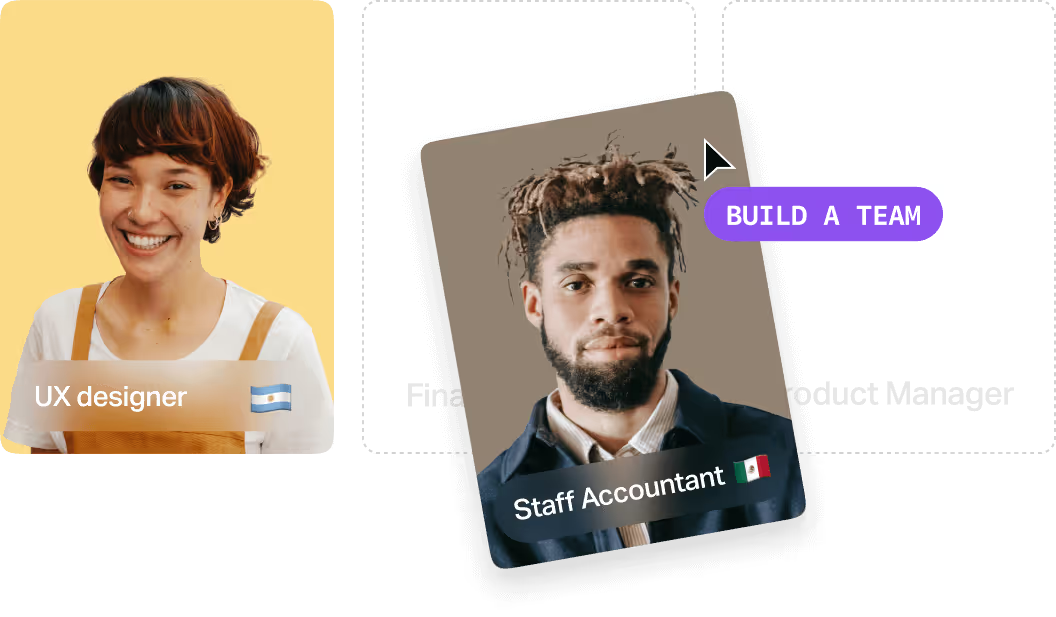
Michael hired what he calls an AI czar for a 40-person company. Individual contributor, self-taught, late twenties, background in data science and business analysis. He ran his normal hiring process and hired the person through us. That hire is based in Brazil and had taught himself English. His summary was “11 out of 10, the whole experience,” which I’ll take.
We didn’t hire a CTO. Neither co-founder is an engineer. We hired a few developers who work well on their own, and autonomous is the keyword. If you need to hand someone a detailed ticket, this won’t work, because the work is ambiguous by nature.
What we screen for:
- They ask why: Not what should I build, but why do you want this, what metric are you moving, who uses it, whose job changes when it ships. You need that.
- They think about business impact: Not only whether the code runs.
- They watch cost: Building fast matters. Keeping the running costs down matters too, and being conscious of token spend is a real skill now.
- They can work alone: Nobody will sit beside them to unblock them.
To test it, use a paid trial project. That’s how we built our own team. Give them access to something you’re comfortable sharing, hand them a slice of a real problem, and watch the whole loop: the questions they ask, whether they understand the goal, how fast they get to a working prototype, whether it works.
Michael’s addition, which I agree with: pay people for their time. Asking for real work for free isn’t right.
Also, make them walk you through something they’ve already built. Anyone who has done this can explain their decisions.
Final Thoughts
We only started hiring developers six months ago. Before that, the economics didn’t work. A build like our sales orchestrator would have taken months, and I couldn’t justify it. The same build took two to three weeks.
That’s the shift worth paying attention to. The cost of building the tool fell far enough that a staffing company with no CTO can run a small internal platform team and get real use out of it.
If you’re deciding whether to bring someone on for this, the value isn’t only what they build. It’s that you stop making expensive mistakes. Most of us can’t spend twelve hours a day keeping up with this, and someone who does means you learn faster.
Hiring AI engineers in Latin America
A growing part of what we do at Hire With Near is placing the AI engineers who build what I’ve described above. We’ve made 3,500+ placements for 950+ US companies, and this is one of the roles clients ask about most right now.
Watch the clip below: it’s me walking through exactly how that conversation goes.
We start by working out whether you should hire one at all. What you want to automate, what you’ve tried, what’s making you nervous. Sometimes the honest answer is that you’re not ready, and our team will say so.
If it makes sense, we get specific about the level. You probably don’t need a lead engineer or an engineering manager; we didn’t. What’s right depends on how much ambiguity the person has to absorb.
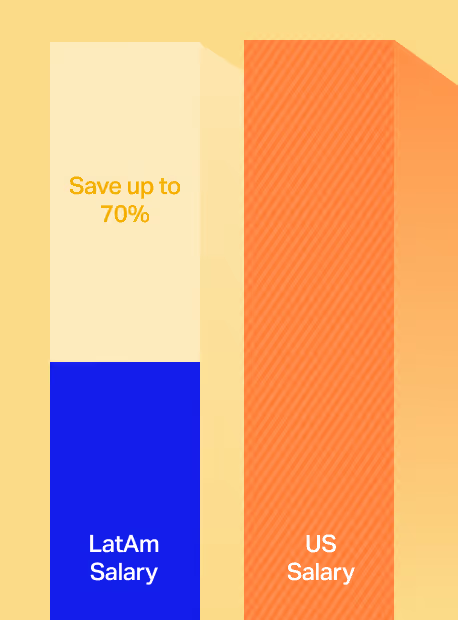
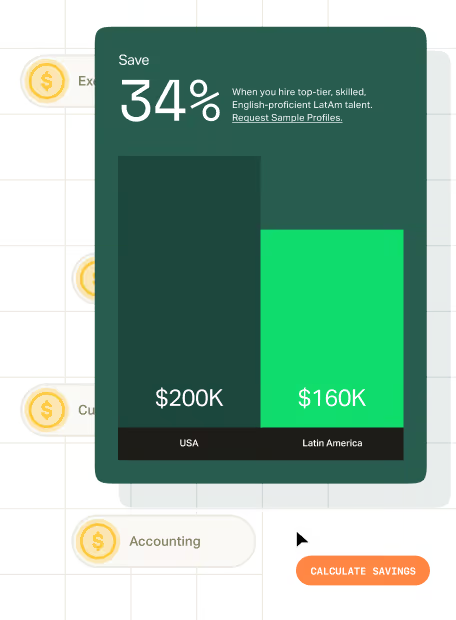
Then, we tell you what the role pays in Latin America. This is one of the hardest things to work out on your own, because you have no reference for the market in Brazil, Colombia, or Argentina. Salaries there run 30–70% lower than comparable US salaries, and that’s because of the lower cost of living, not because the professionals are less talented.
From there, we run the search and bring you options. You interview them and you decide. Most of our clients make a hire in under three weeks.
If you want to talk it through, including whether this is the right moment, book a free, no-commitment consultation call. We’ll walk you through the process and share salary benchmarks for the role you’re considering.


.webp)

.webp)





%203.svg)
.avif)




%20(1).avif)

%20(1).png)